Shelly Flood Gen 4 Review: Finally, a Leak Detector That Covers More Ground
If you’ve ever relied on a standard water leak detector, you might have realised they all share a common, frustrating flaw: they only measure from a single, specific point. If a pipe bursts or a manifold leaks and the water happens to pool just 10 centimeters away from your sensor, the device won’t notice a thing until the damage is already done.
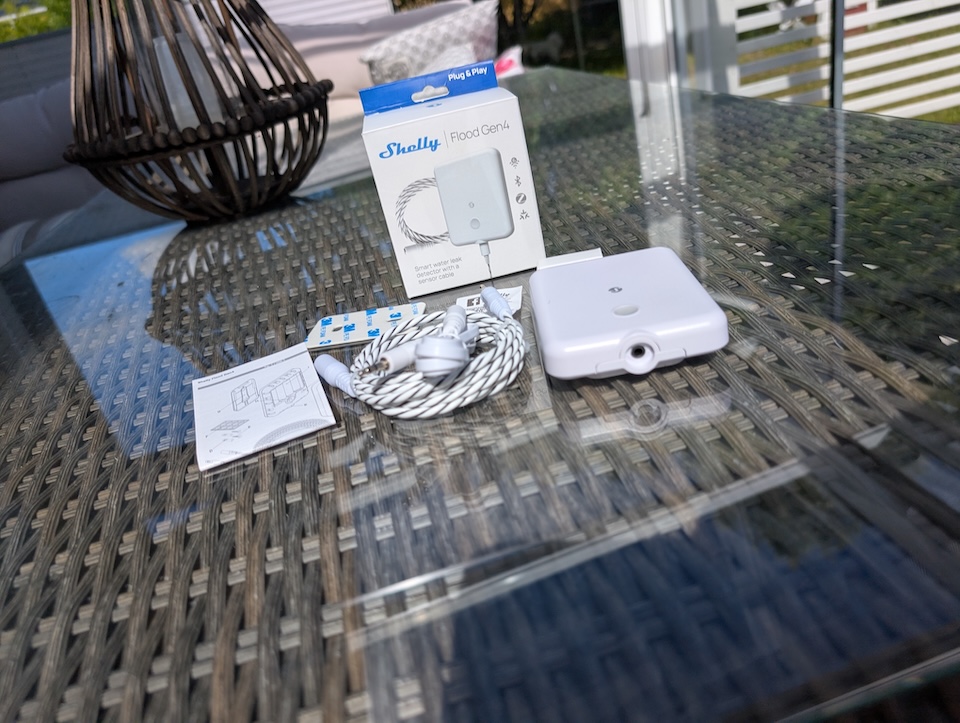
Shelly is aiming to solve this exact problem with the newly designed Shelly Flood Gen 4. Instead of relying on a tiny local sensor, this new iteration utilises a specialised sensor cable designed to detect leaks across a much larger surface area.
Disclaimer: I’ve received the tested device for free on reviewing purposes, but as always, the opinions are 100% my own and this does not affect the product review results.
Hardware & Specs
Under the hood, the Shelly Flood Gen 4 is built for flexibility and uninterrupted operation. It runs entirely on battery power, allowing you to place it exactly where it’s needed without worrying about wiring. The device boasts an IP44 rating, providing solid durability and environmental resistance against splashes.
Here is a breakdown of the key specifications:
| Feature | Specification |
| Power Supply | 4x AA 1.5 V batteries |
| Estimated Battery Life | Up to 2 years |
| Sensor Cable Length | 2 meters included (Extendable up to 150 meters) |
| Microcontroller | ESP-Shelly-C68F (8 MB Flash) |
| Connectivity Protocols | Wi-Fi, Bluetooth 5, Zigbee, Matter |
| Max Indoor Range | Zigbee: up to 100m using Mesh | Wi-Fi: 30m | Bluetooth: 10m |
| Operating Temperature | -20°C to 40°C |
| Dimensions | 97 x 76 x 25 mm |
| Environmental Protection | IP44 (Splash-proof) |
Key Feature Highlights:
- Massive Coverage: The fact that the 2-meter sensor cable can be daisy-chained up to 150 meters is a game-changer for wrapping around the entire perimeter of a basement or a long run of plumbing.
- Battery Efficiency: It checks for flood status every 5 seconds. This tiny micro-delay is what allows the 4x AA batteries to last up to two full years while still providing near-instant alerts.
- Dual Modes & Alarm Profiles: It can be configured for either Flood Detection or Rain Detection, and features three built-in acoustic alarm profiles (Intense, Normal, and Economic) to balance the local buzzer volume against battery consumption.
Installation
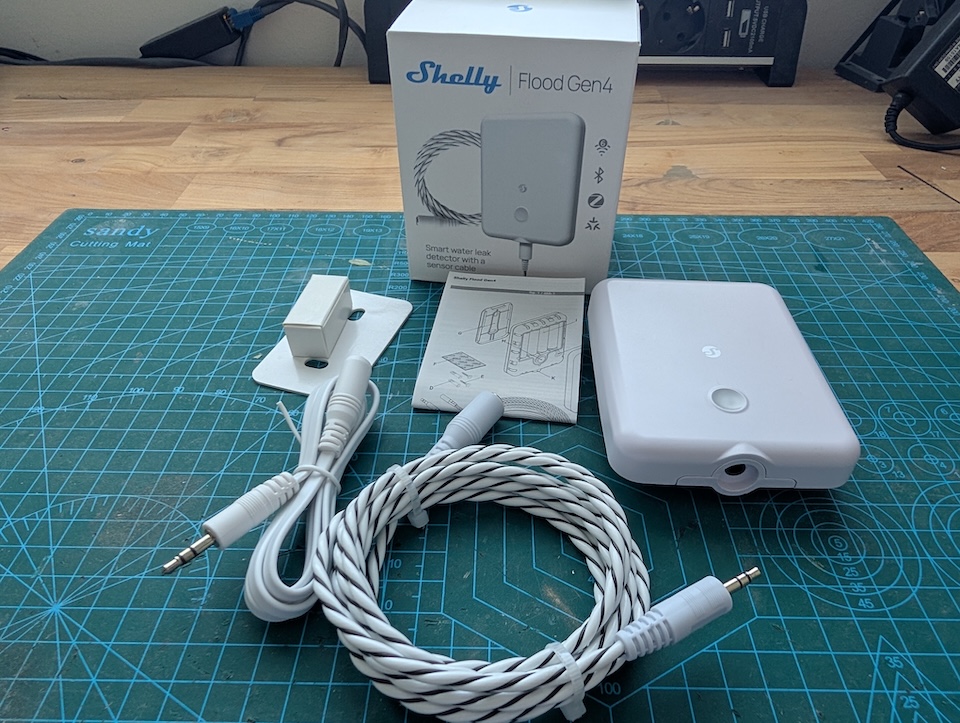
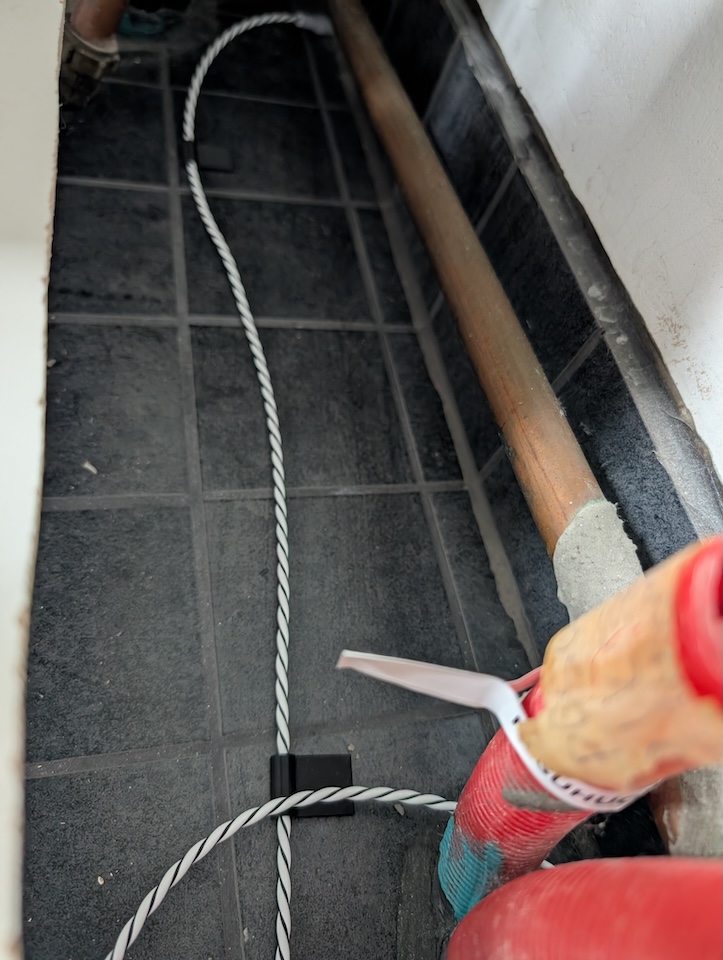
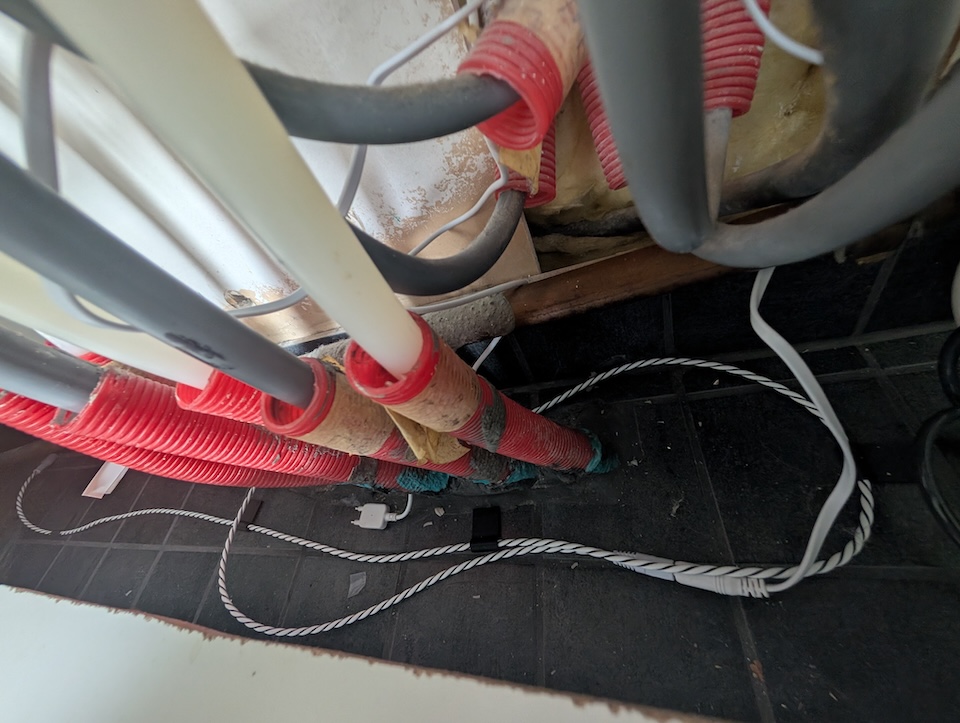
Getting the Shelly Flood Gen 4 physically set up is straightforward: set the cord on the ground, plug in the extension cable, and remove the paper strip from the battery box to power it on. The cable can easily be extended with additional sensor lengths to cover larger areas.
I did run into a slight physical quirk. Out of the box, the sensor cable is quite stiff and doesn’t naturally lay flush against the floor. To fix this, I 3D printed some small clips to anchor the cable securely, which worked perfectly. If you want to use the same setup, you can download the 3D printable clips I used here.
On the software side, there is a catch to watch out for. During the initial setup using the Shelly app, the device connects exclusively through Wi-Fi. If you want to use an alternative protocol like Zigbee, it has to be enabled separately. The manual states you can initiate Zigbee pairing by clicking the device button three times, but that failed for me initially. I had to go into the Shelly mobile app and explicitly enable the Zigbee radio first before the triple-click pairing sequence would actually trigger.
Features in Action
During normal operation, the Shelly Flood Gen 4 stays in a deep sleep mode to conserve its battery life. It isn’t completely disconnected, though—it periodically wakes up on a set time delay to send a “heartbeat” signal, confirming it’s still online and operating properly.
The moment any part of that sensor cable gets wet, the device wakes up instantly. A built-in LED starts flashing and the internal beeper sounds off. This local alarm is an absolute lifesaver if you happen to be at home when a leak starts. Shelly also gives you control over how this local alert behaves by offering three different alarm profiles—Intense, Normal, and Economic—allowing you to balance the warning volume and intensity against battery consumption.
If you aren’t around to hear the buzzer, the device still has your back. It immediately pushes a notification through the Shelly Cloud or the Shelly Smart Control app, giving you all the necessary details in real-time so you can act quickly. And because it supports local automation actions, you can easily set it up to trigger secondary devices—like flashing your smart lights or shutting off a smart water valve—the second a leak is detected.
Home Assistant Connectivity
As with all Shelly devices, this one integrates fully locally with Home Assistant—meaning absolutely zero cloud dependencies unless you specifically want them. While I decided to go with Zigbee for my setup, the Gen 4 is essentially a multi-protocol Swiss Army knife. Depending on how your network is structured, you can integrate it into Home Assistant using any of the following methods:
- Wi-Fi (Official Shelly Integration): If you stick to the default Wi-Fi mode, Home Assistant’s built-in Shelly core integration will automatically discover the device. This communicates 100% locally using Shelly’s API, making it an incredibly reliable, plug-and-play option.
- Matter over Wi-Fi: The Gen 4 supports Matter out of the box. You can provision it directly to your Home Assistant Matter server, providing a standardized, local connection without relying on vendor-specific integrations.
- MQTT: For advanced users who want granular control over their data payloads, the device natively supports MQTT over Wi-Fi. You can configure it to publish straight to your Mosquitto broker in Home Assistant without needing any custom firmware flashing.
- Bluetooth (BLE): It also includes Bluetooth 5, which is primarily used for easy initial provisioning via your phone, but also plays nicely with Home Assistant’s broader Bluetooth proxy ecosystem.
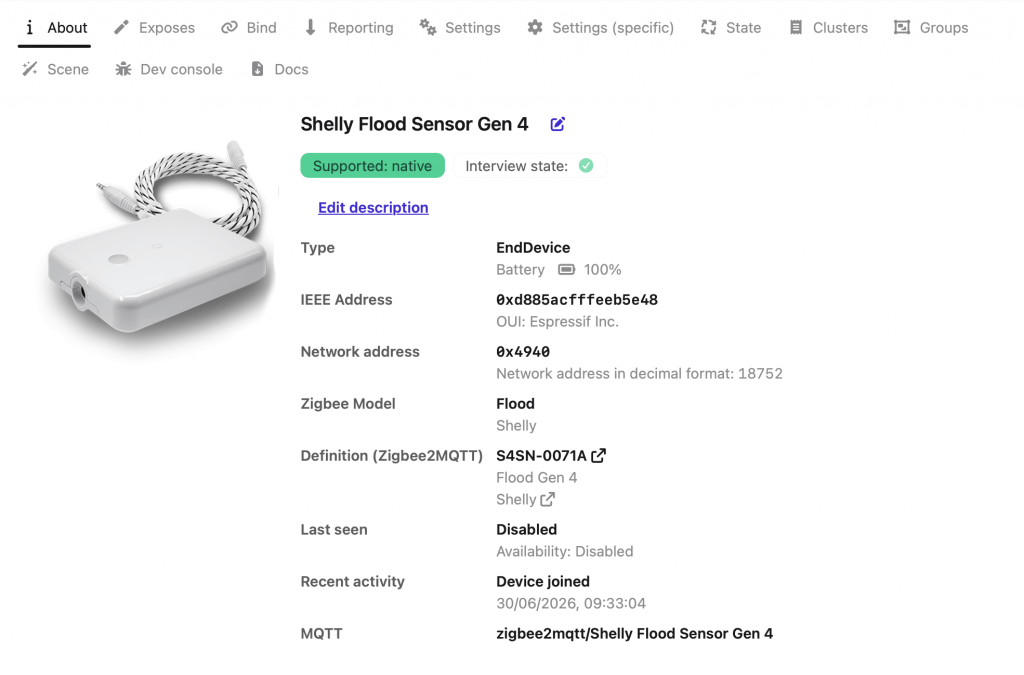
- Zigbee (Z2M/ZHA): As mentioned, this was my chosen path to keep things lightweight and off my Wi-Fi network. Once I cleared the initial hurdle of enabling the Zigbee radio in the mobile app, pairing the Shelly Flood Gen 4 with Zigbee2MQTT went incredibly smoothly.
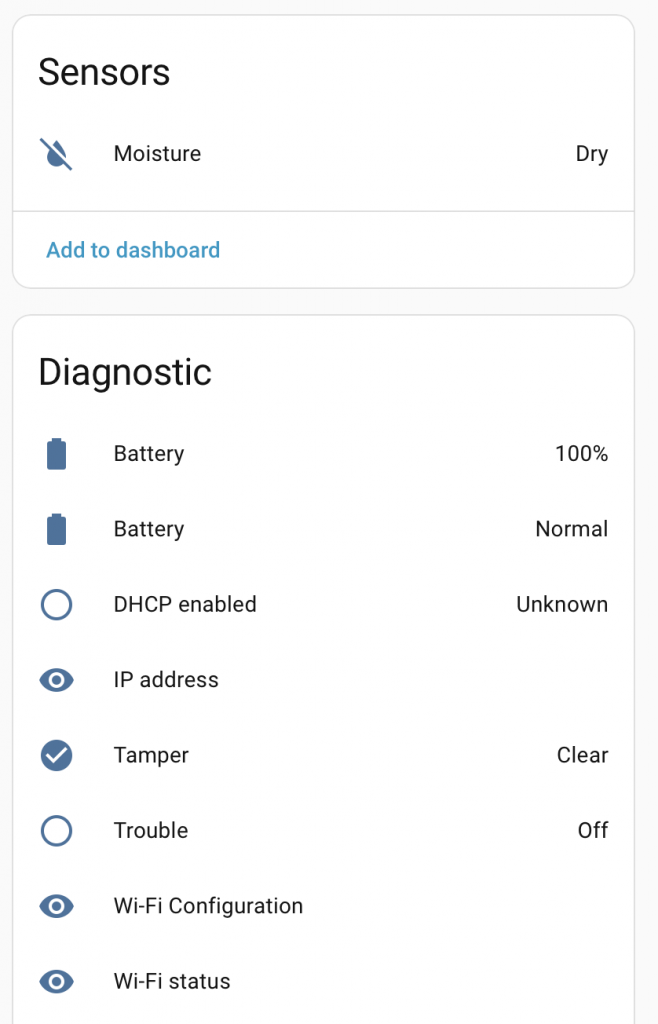
Regardless of the protocol you choose, the integration exposes essential data to Home Assistant. In Z2M, for example, it provides 10 distinct entities. The most critical ones for building your automations are the Dry/Wet Status (your core trigger), the Battery Level, and a Trouble Indicator that immediately flags if there is a connection or hardware issue with the device itself.
Summary: The Final Verdict
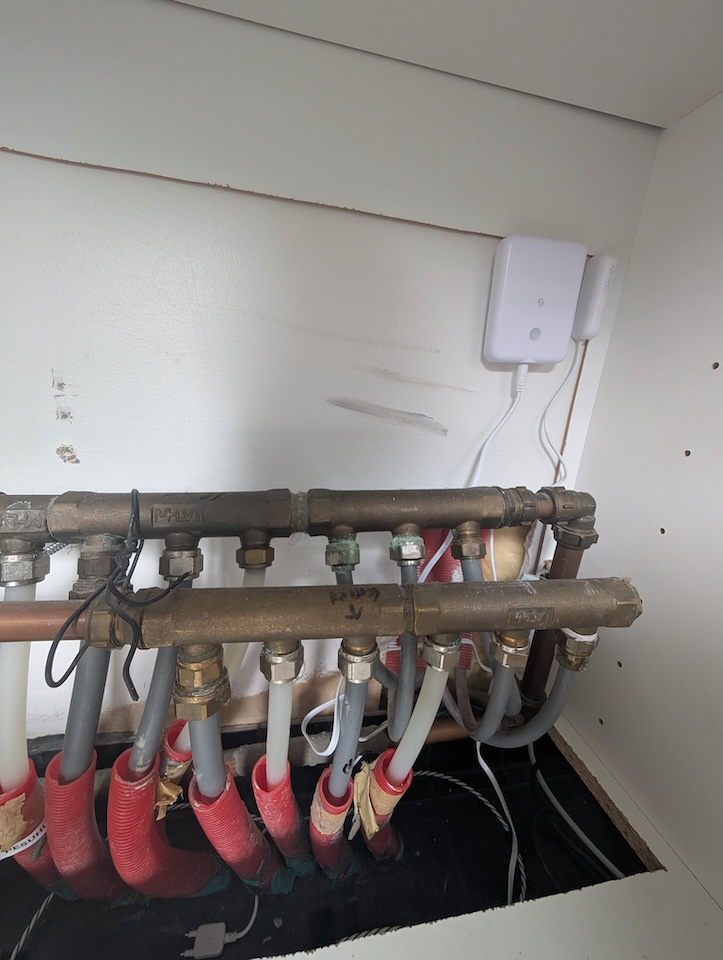
The Shelly Flood Gen 4 is a massive step up from traditional point-sensors, making it a perfect fit for monitoring high-risk areas like the spaces below water manifolds, under dishwashers, or around hot water heaters.
The standout hardware feature is undoubtedly the extendable sensor cable—having the ability to daisy-chain it up to 150 meters completely eliminates the blind spots that plague standard leak detectors. But where this device truly shines is its sheer adaptability. Shelly has packed it with Wi-Fi, Bluetooth, Zigbee, and Matter support right out of the box.
This multi-protocol approach means that regardless of what hub you use or how your smart home is architected, you will find a native, local-first connectivity option that perfectly matches your system. However, you don’t need a complex smart home server to use it. If you just want a reliable standalone leak detector, setup is incredibly simple. All you need is a standard Wi-Fi network and the free Shelly app—no extra hubs, dongles, or fancy controllers necessary.
Whether it’s acting as a standalone Wi-Fi alarm or tying into a brilliant Home Assistant integration with rock-solid reliability and zero forced cloud dependencies, this device offers incredible peace of mind. If you are looking to bulletproof your home’s water safety net, the Shelly Flood Gen 4 is a highly recommended addition.
Smart Home Score: 5/5
