Review: Annke 4K NVR Security System (Neutracis) – Prosumer Power for the Smart Home
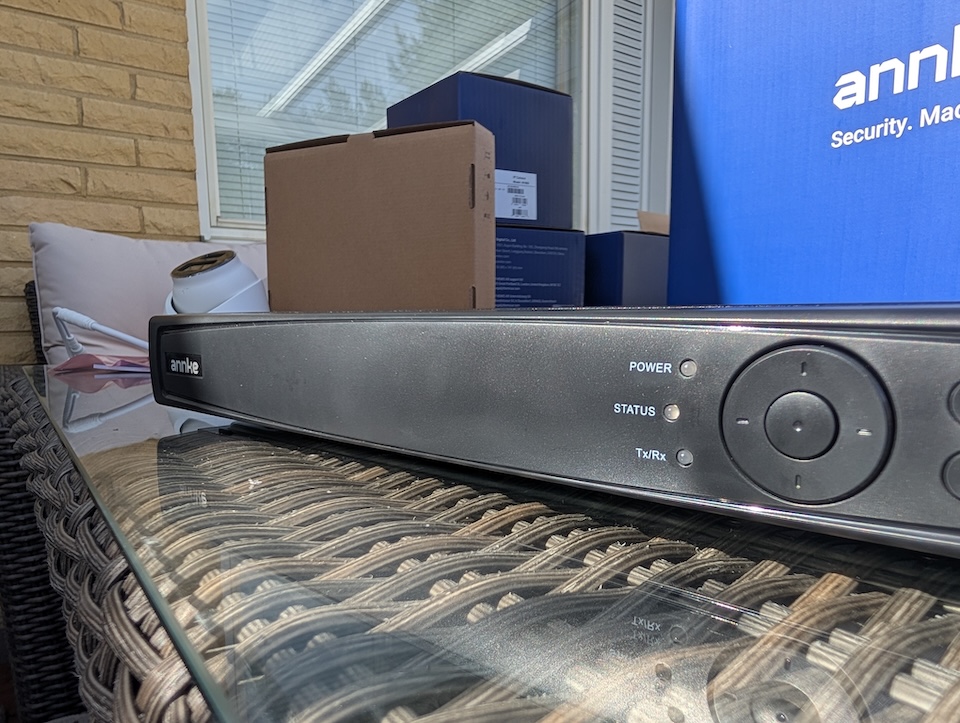
When building a fully automated, privacy-respecting smart home, relying on cloud-based cameras with monthly subscription fees feels like a step backward. That is why I have been moving increasingly toward local-first technology. Today on the test bench, I am reviewing a full-blown NVR (Network Video Recorder) system from Annke—specifically, their 8-Channel PoE NVR bundled with four high-quality I91WB cameras.
Because my focus is on creating a smart home ecosystem, I am going to skip the enterprise-level features (like hooking up an external monitor for a dedicated security desk) and focus purely on what matters to a home automation enthusiast: local control, hardware quality, intelligent detections, and integration potential.
Disclaimer: I’ve receive the tested device for free on reviewing purposes, but as always, the opinions are 100% my own and this does not affect the product review.
Hardware Inspection & Specifications
Right out of the box, the Annke system feels incredibly solid. If you have handled professional security gear before, you might notice some hardware and software similarities to Hikvision—a promising indicator for reliability and advanced feature sets.
Here is the combined breakdown of the hardware specifications for both the NVR and the included cameras:
Annke 8-Channel NVR Specs
| Feature | Detail |
|---|---|
| Channels | 8 Channels with built-in PoE |
| Video Output | 4K HDMI output |
| Storage | Dual HDD support (one 2TB included), supports Network HDD (NAS + IP SAN) |
| Advanced Search | NeuTracis AI & Target Search |
| Supported Events | Vehicle, Person, Abnormal behavior, thermal, POS, temp, smoke, fire (requires compatible cameras) |
Annke I91WB Camera Specs
| Feature | Detail |
|---|---|
| Form Factor | Turret style |
| Resolution | 4K 8MP (3840×2160) |
| Compression | Efficient H.265+ |
| Detections | Built-in Human and Vehicle Detection |
| Night Vision | Smart Dual Light technology for long-range visibility |
| Durability | Metal & ABS rugged housing, IP67 Waterproof |
| Power | PoE or external power supply (not included) |
| Local Backup | On-board SD card slot (up to 256 GB) |
Note: While the NVR supports advanced events like thermal and smoke detection, the included I91WB cameras do not support these specific triggers.
The Setup Experience & Installation Quirks
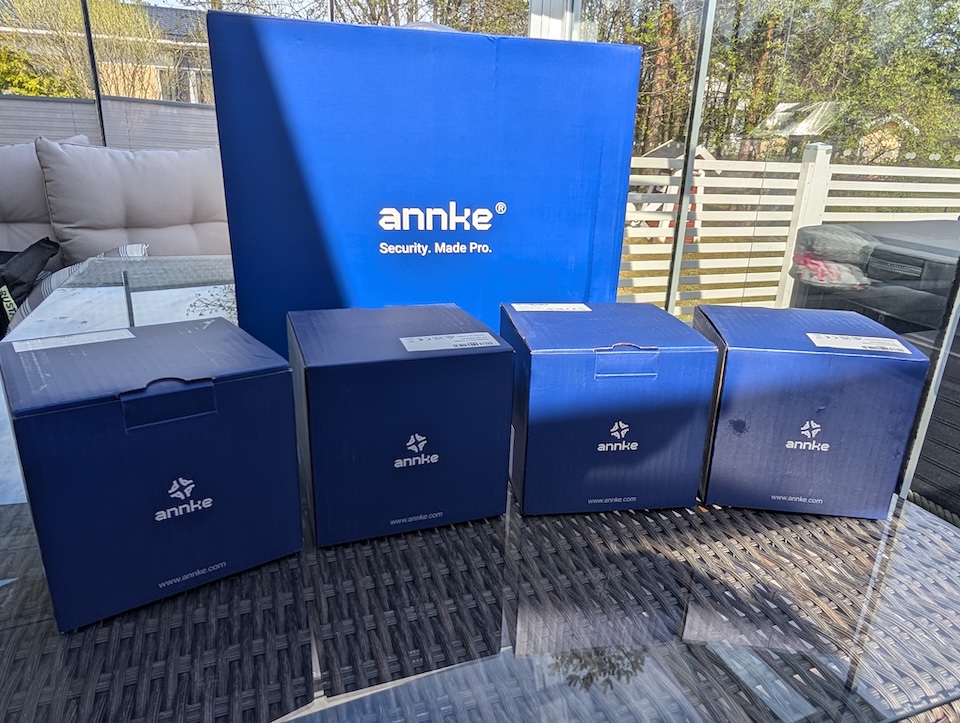
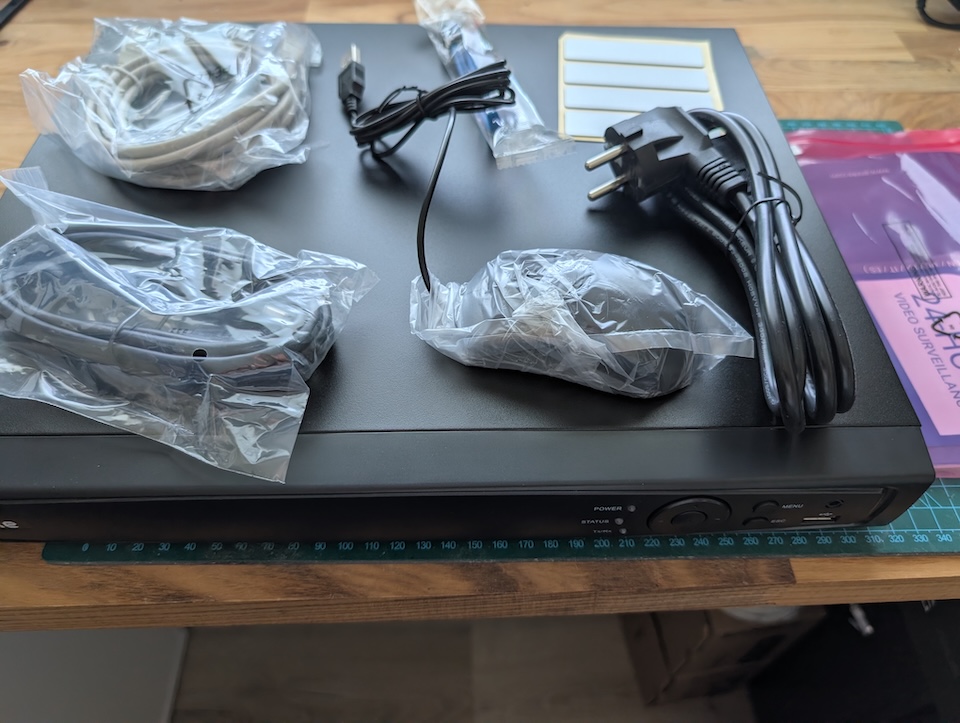
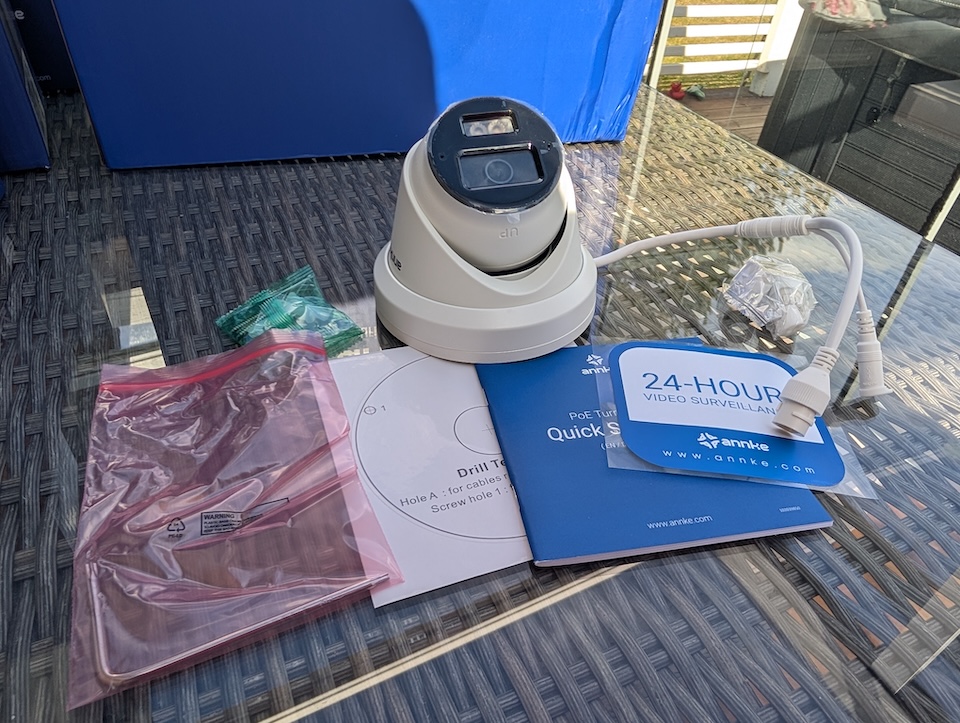
Getting the core system online is delightfully fast. You can go from unboxing to viewing a live feed in about 10 to 15 minutes. It is practically plug-and-play: connect the cameras to the PoE ports on the back of the NVR, and you are up and running. You also have the flexibility to power the cameras via a separate PoE switch on your network and connect them to the NVR via IP.
By the way, the set is sold with 2TB HDD (pre-installed) and four LONG ethernet cables – so everything needed is included.
However, the physical installation and initial configuration threw a few minor curveballs:
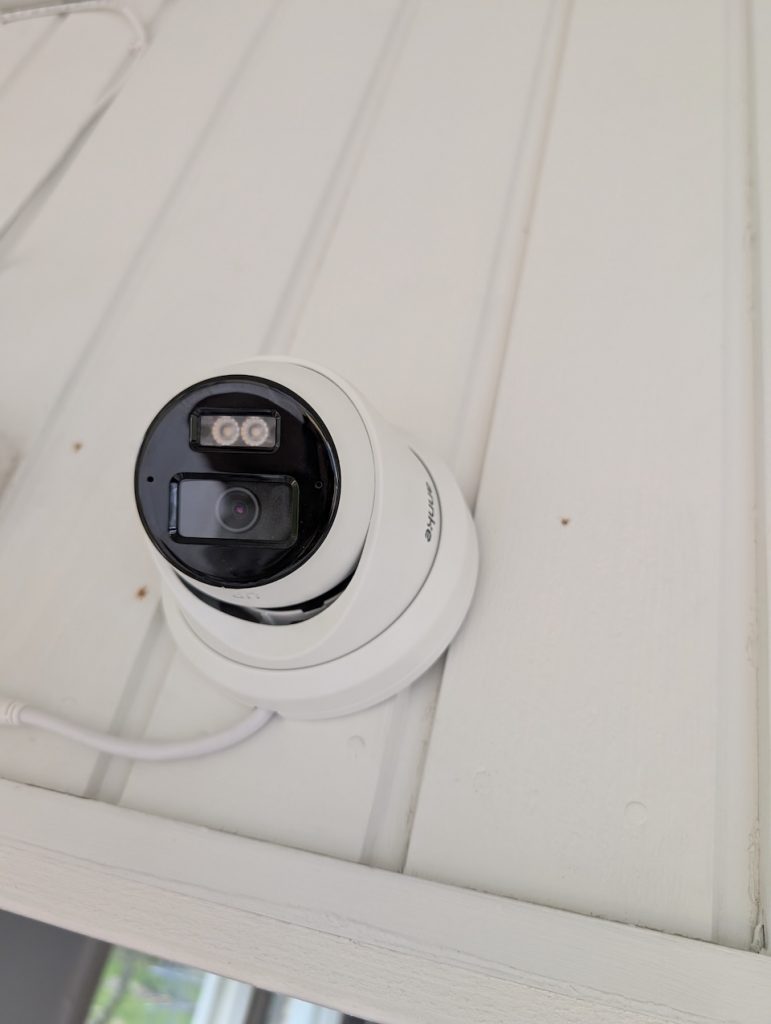
- The Passthrough Hole: Initially, I couldn’t find the cable passthrough hole on the side of the camera base. It turns out you have to cut a small plastic ‘clip’ to route the wire flush against a wall. The cameras are otherwise very sturdy and well-built, and the included manual is a helpful reference during the physical install – not mentioning cutting the clip though.
- The Apple Silicon Hiccup: I connected a camera to the NVR PoE ports first, but later decided to move it directly to my local network. The IP address locked to a static
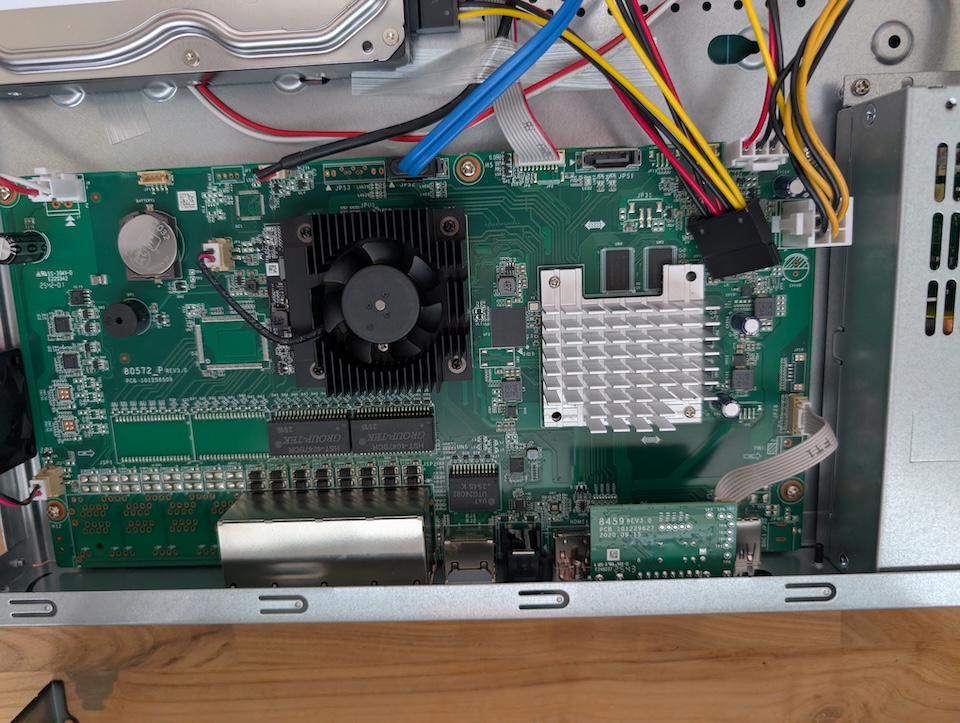
192.168.254.2when connected directly. Normally, you would use the SADP Tool to bypass and reconfigure this, but that software is discontinued and cannot be installed on Apple Silicon (M-series) Macs, so only thing I could do was a physical hardware reset. - The Noise Factor: This NVR is very loud while running. The cooling fans sound like a server rack. You absolutely do not want this sitting on your living room media console. I highly recommend placing this in a dedicated server room or similar.
Camera Quality & Smart Detections
The I91WB cameras are brilliant. The 4K resolution is razor-sharp, providing clear imaging day or night.
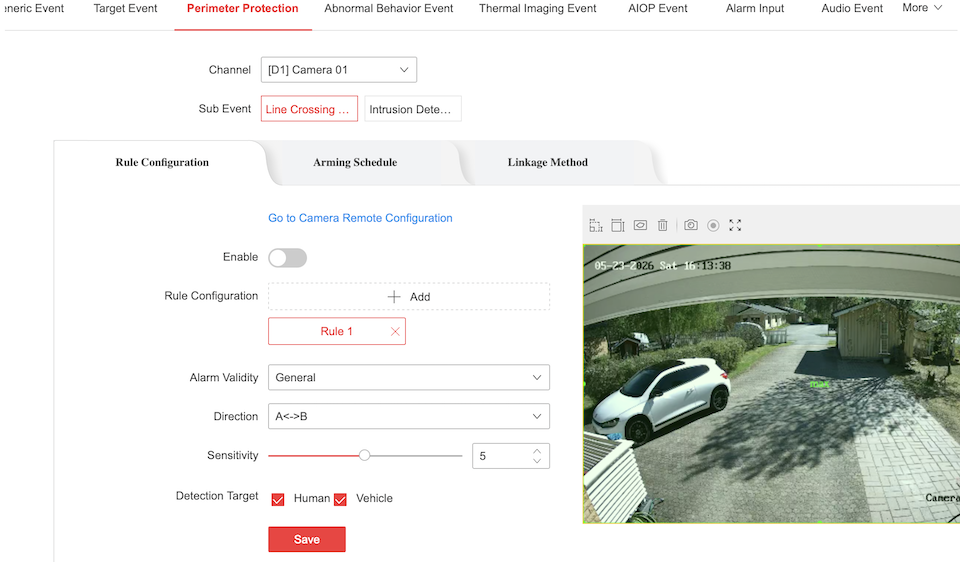
A massive standout feature is the automatic person and vehicle detection, which is built directly into the camera firmware. Offloading this processing to the cameras themselves makes the whole system highly efficient. The security and event features cover almost everything you could wish for, including facial detection alongside the person and vehicle tracking. The only minor omission I noticed is the lack of animal detection, which would be handy for filtering out neighborhood wildlife.
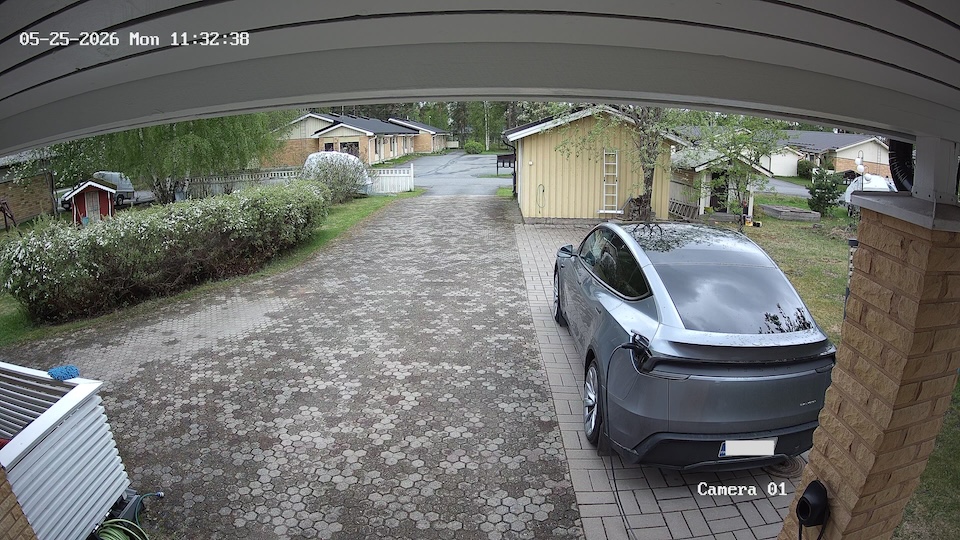
Full resolution picture available here
Software, The Event Center & Local Privacy
The NVR software delivers a true “prosumer” experience. It responds incredibly fast and provides granular control over perimeter protection, recording schedules, and email notifications.
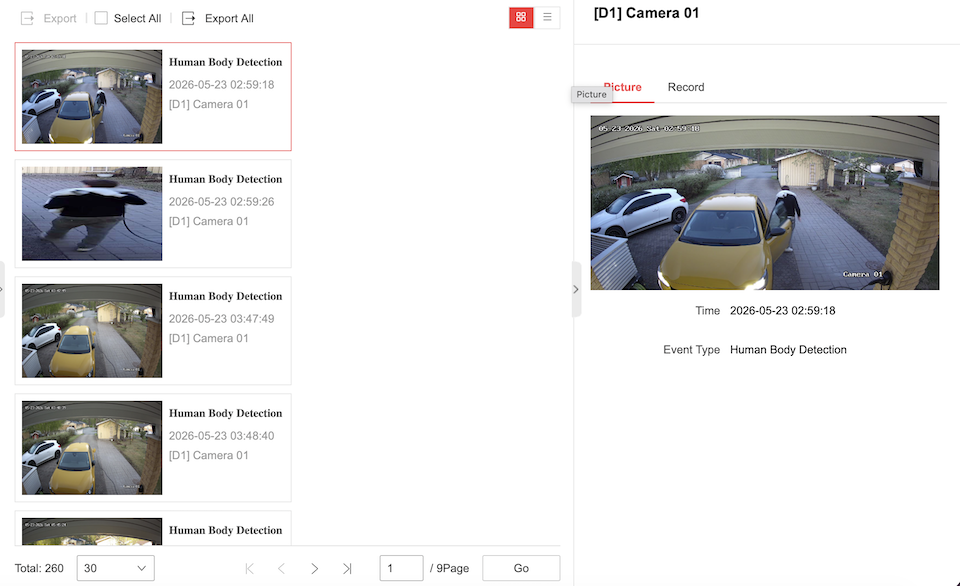
Managing all this data happens in The Event Center. Here, you can hunt down specific recordings by applying selected search parameters. While the interface might not be the most intuitively designed at first glance, it works exceptionally well once you get the hang of it, allowing you to filter through days of footage in seconds.
Crucially for a smart home setup, this system respects your privacy. You can use the Annke Vision mobile app entirely over your local LAN without being forced to bind your system to a cloud account.
The “Beef”: NeuTracis AI Search
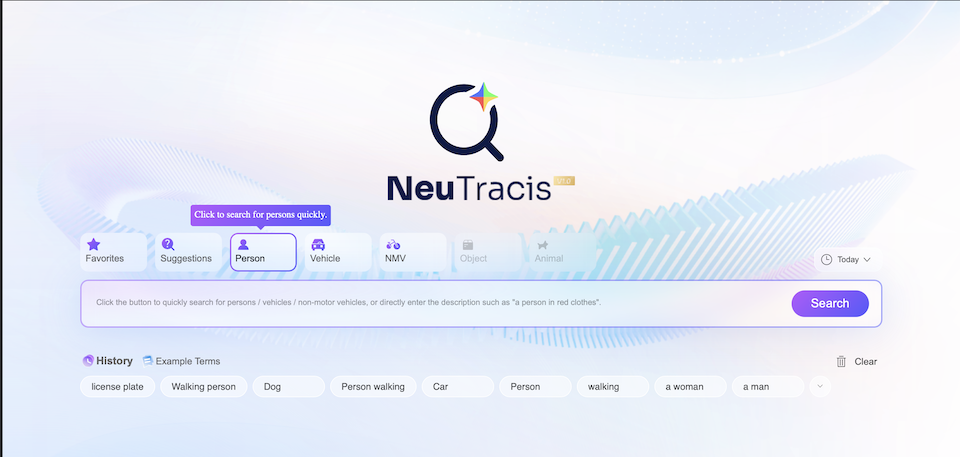
Annke markets a feature called NeuTracis, an ‘AI’ search tool designed to find specific events from your video streams.
While it is a very useful tool, it is important to understand its limitations: there is no true generative “AI” working behind the scenes – or at least not a very good one – as far as I can see. The search relies on highly precise, exact-match parameters, likely because the recorded events are tagged with specific keywords.
- The Good: Finding cars by license plate truly works and is a highly effective feature. Face detection is also supported by the system.
- The Limitations: Because it requires close match keywords, searching for a “person” will yield results, but typing “persons” will return zero matches. NeuTracis also suggests you can find vehicles by manufacturer and other detailed parameters, but in my testing, achieving 100% matching on these highly specific searches has been hit-or-miss.
It is a powerful filtering system—you just need to know exactly how to speak its language.
Home Assistant Integration
For a smart home blog, this is the ultimate test. How does the Annke NVR play with Home Assistant?
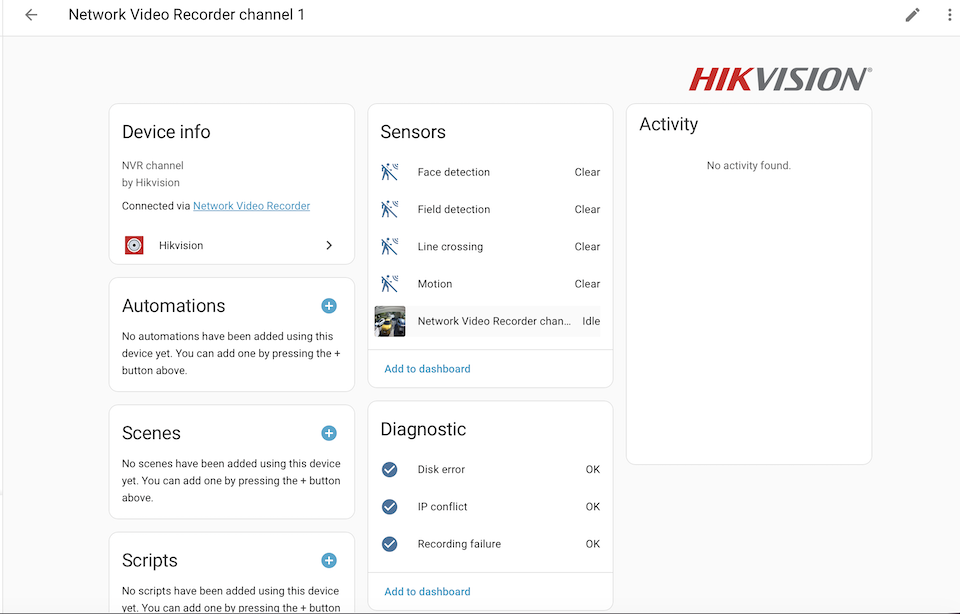
Because Annke devices seem share DNA with Hikvision, the NVR can be integrated into Home Assistant using the standard HIKVision integration. Currently, only the camera video feeds work. You cannot pull the person or vehicle detection sensors directly into Home Assistant out of the box.
However, the fact that the video feeds work is good news—it proves that a local API exists. This leaves a strong possibility that a proper, fully-featured integration for external smart home systems will be developed by the community in the future, but currently the integration is very limited.
Verdict
The Annke 4K NVR and camera combination offers fantastic value for the investment. You are getting prosumer-grade UI speeds, sharp 4K turret cameras with built-in intelligent detections, and a system that respects local-only network environments.
When it comes to pricing, the value for money is absolute brilliant. While the standard retail price sits at $749.99, the kit can be spotted on sale for $599.99 at times. For a complete 4-camera 4K system with an 8-channel PoE NVR, hitting that sale price makes it an absolute steal for anyone looking to avoid cloud subscription fees and to having total local control.
It has all the necessary features you need for high-end home security, held back only by the loud cooling fans and the current lack of a complete Home Assistant sensor integration. If you have an isolated spot to run the hardware, this is an incredibly powerful security upgrade.
I also have high hopes that future software updates will improve the Neutracis AI search and fix some minor issues.
Smart Home score: 4/5
