
Shelly Neo Smart Water Valve review: Installation, Accuracy and Daily Reliability
Water damage is one of those risks that stays invisible until it isn’t — a slow pipe leak behind a wall, or a burst hose while you’re away for the weekend, can turn into thousands in repairs before anyone notices. That’s exactly the kind of scenario smart water monitoring and shutoff devices are built for, and it’s why I wanted to get one properly integrated into my own smart home setup.
This time, let’s take a look at yet another Shelly device: the Shelly Neo Smart Water Valve (NAS-WV02W) — an ultrasonic water flow meter with a built-in valve. In this article I’m focusing on installation, features, reliability, and smart home integration — not so much on the Shelly app itself.
Disclaimer: I’ve received the tested device for free on reviewing purposes, but as always, the opinions are 100% my own and this does not affect the product review results.
The specs at a glance
- Ultrasonic water flow measurement system*
- Drinking-water certified brass valve (NSF)
- Electric ball valve
- Wi-Fi + Bluetooth connectivity
- Fully local connectivity and Shelly Cloud integration
- Water temperature measurement (accuracy ± 0.5 °C)
- Water pressure measurement (accuracy ± 1 kPa)
- Real-time monitoring (accuracy 0.38 L/min) & consumption tracking
* Ultrasonic water flow meters measure fluid velocity by analyzing high-frequency sound waves transmitted through a pipe, primarily using a technique called the transit-time method. A pair of transducers, clamped to the pipe, alternate sending and receiving ultrasonic pulses diagonally across the water stream. When a sound wave travels in the same direction as the water flow, it’s accelerated and arrives slightly faster, whereas a wave traveling against the current is slowed down and takes longer to reach the opposite sensor. By measuring this microscopic time difference, the meter calculates the precise velocity of the fluid, which is then multiplied by the pipe’s known cross-sectional area to determine the total volumetric flow rate — without introducing any moving parts or physical obstructions into the system.
Installing the Smart Water Valve
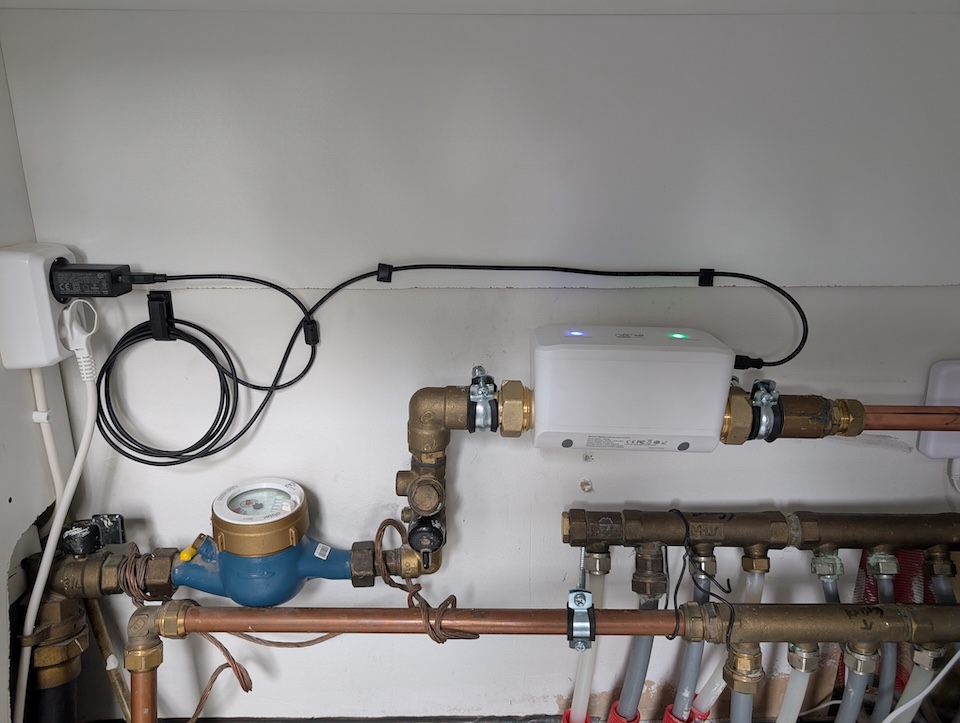
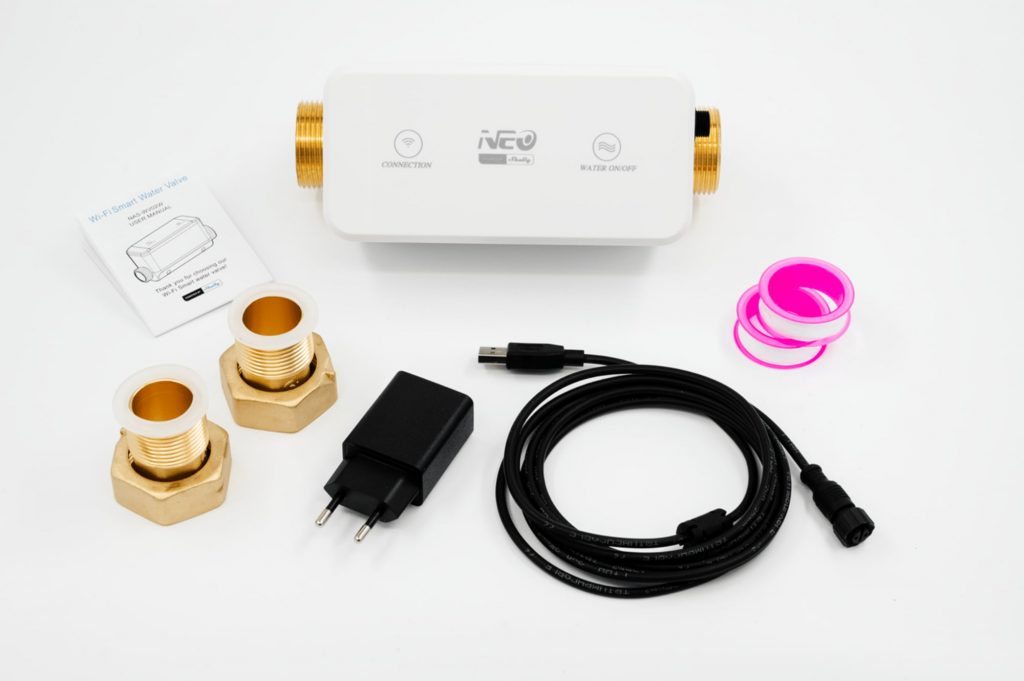
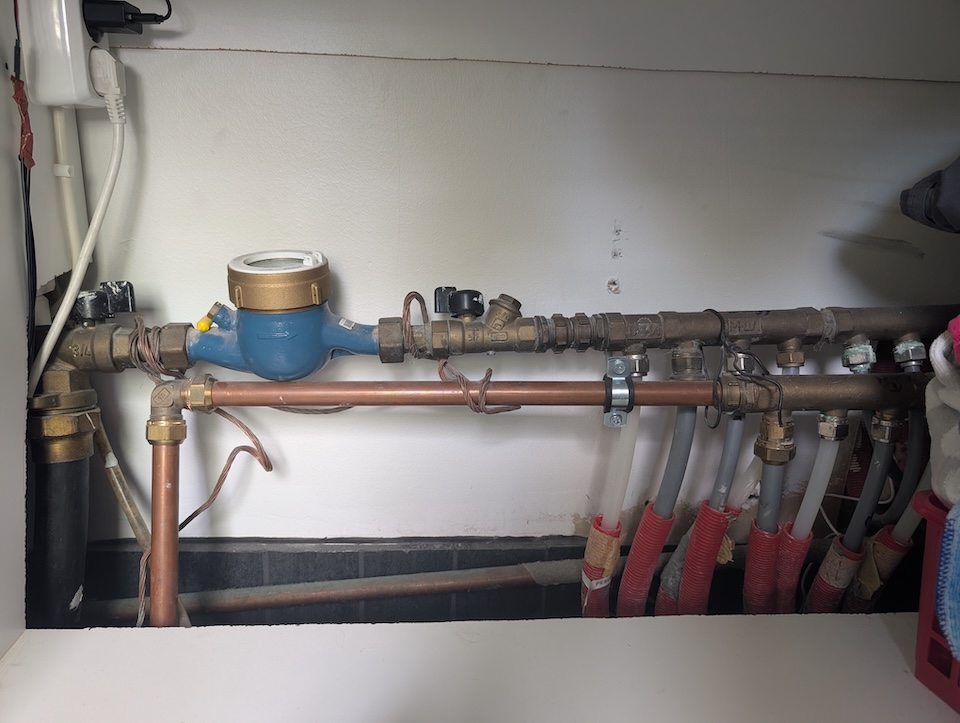
Depending on where you live and your existing plumbing, you might or might not need a plumber to install the Neo Water Valve. In my case, it required a plumber to make some modifications to the existing piping. Luckily, the changes weren’t as extensive or messy as I’d worried beforehand. The Shelly device itself isn’t small, and it needs about as much space as a standard water company meter — and of course, in normal use you can’t replace the actual water meter, so the Neo Water Valve has to be installed after it.
After powering it up and connecting the Shelly to Wi-Fi through the app, it worked right away — no calibration needed. The device was there, and Home Assistant discovered it automatically through the Shelly integration. The Shelly App initially informed me kindly about “pending connection…” for about a day, but eventually I found it was something to do with the cloud connection failing. That was solved automatically and did not need my input.
One thing worth noting: this device requires constant power, so if you don’t have a power socket nearby — or don’t want to install one — it’s a no-go. Luckily, I’d had one installed years earlier, thinking I might want an electric valve someday, and now that day had finally come.
Another tip: since it connects over Wi-Fi, you should set a static IP on your network router. If you skip this, an IP change down the line could break the integration.
The hidden config page
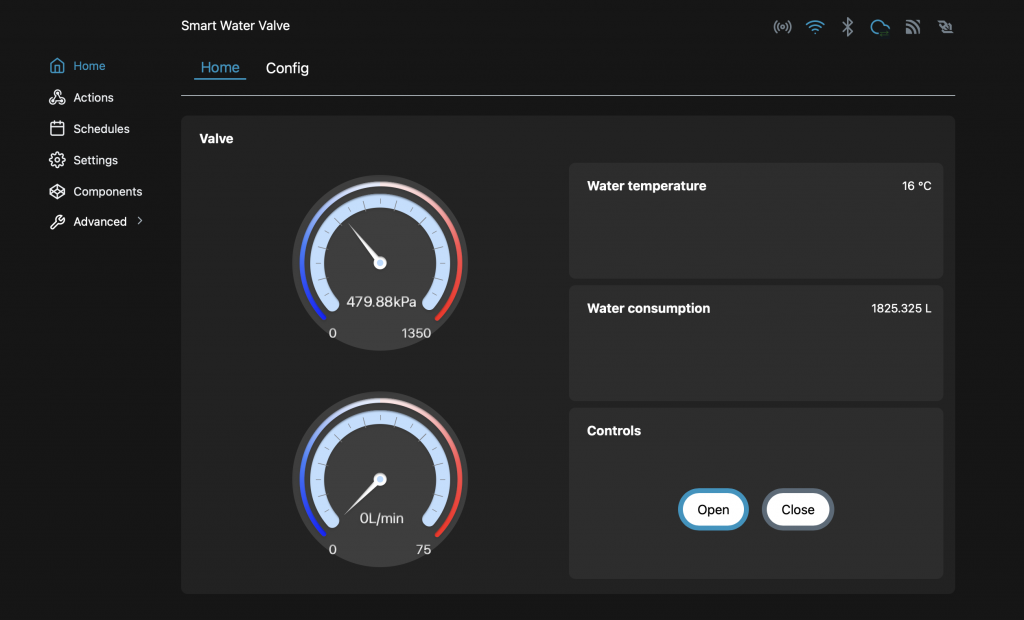
Before jumping into the smart home integration part, it’s worth mentioning that the device provides a static web page for configuration and stats.
This is where all the configuration happens: enabling Bluetooth or Wi-Fi, or setting up MQTT, web sockets, cloud connection, and so on.
The information section, however, is fairly bare-bones: you only get to see the device’s core readings — total water consumption, water flow, water temperature and pressure, along with valve on/off control. You can’t view historical stats, but that’s expected given the memory and storage limitations of the hardware.
There’s also the option to set up schedules and actions. Opening and closing the valve at set times can be useful, though this is usually better handled through automations — like triggers based on you leaving or arriving home — but the standalone scheduling is there if you just want to run it within the Shelly ecosystem.
Connectivity: WiFi, Bluetooth and every way in between
The smart water valve connects to the local network over 2.4 GHz Wi-Fi, though Bluetooth is also available for those who want it. Everything can be connected directly to the Shelly ecosystem — even though I was initially dealing with that “pending connection…” issue, but that was cloud related. Full local connectivity is available too, along with ready-made Home Assistant integration.
If that’s not enough, the device can also be used through MQTT, RPC over UDP, or plain web sockets directly. It really offers plenty of ways to plug it into almost any smart home system.
Connecting to Home Assistant
As I mentioned previously, this Shelly device connects with Home Assistant straightforwardly. Once connected to your local Wi-Fi, Home Assistant automatically discovers the new Shelly Neo Water Valve.
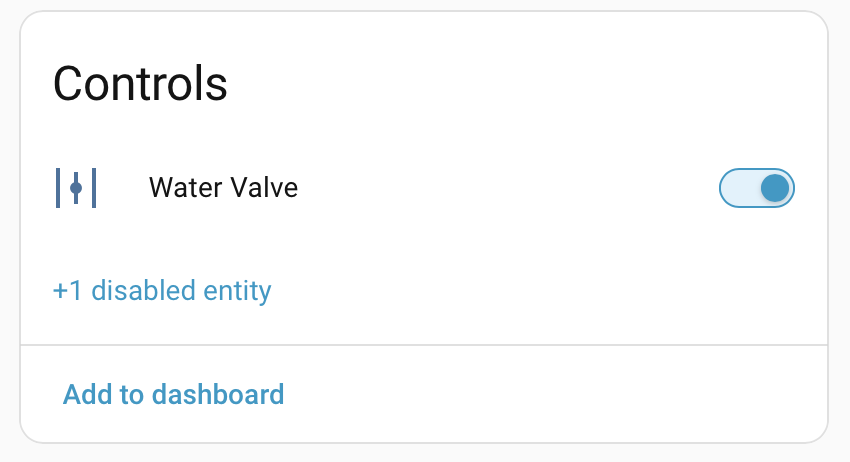
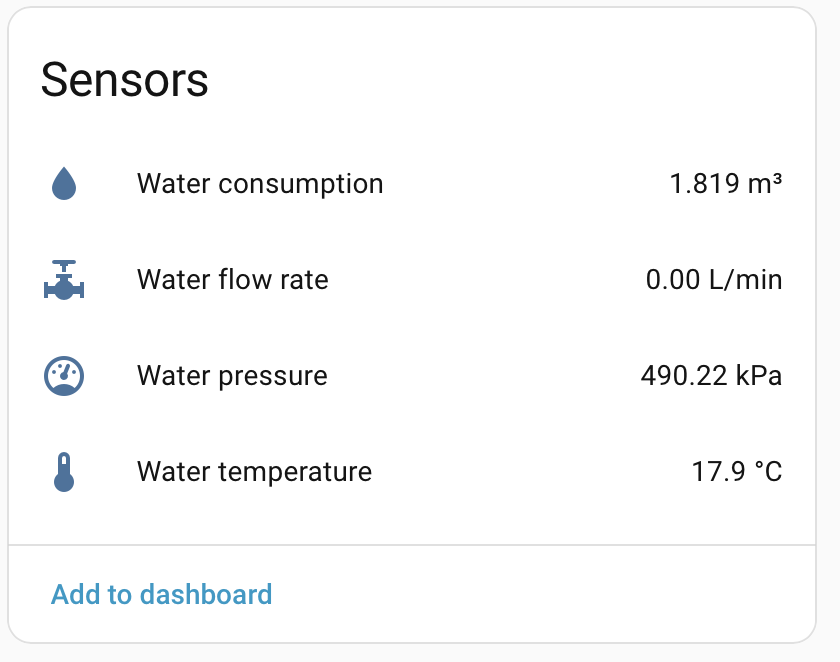
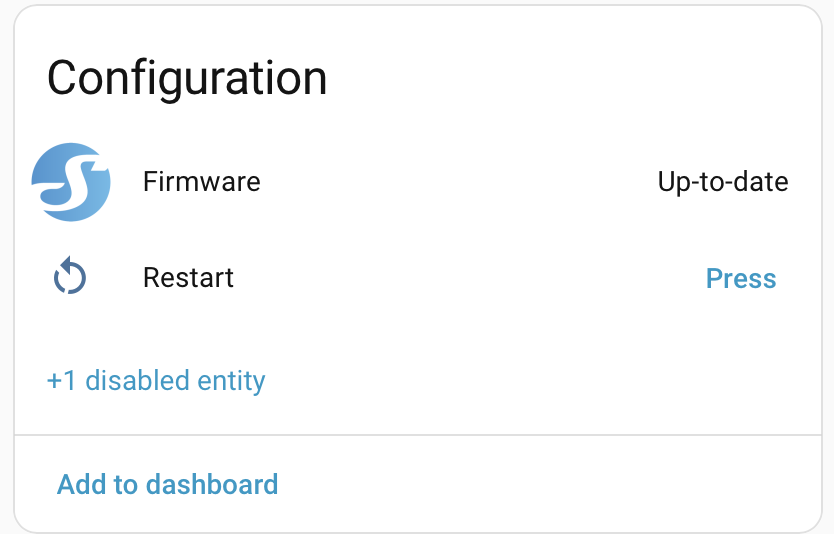
All the essentials are exposed to Home Assistant: valve control, water consumption, water flow rate, temperature, and pressure — along with a few configuration and diagnostic entities, like firmware update status and a reboot control.
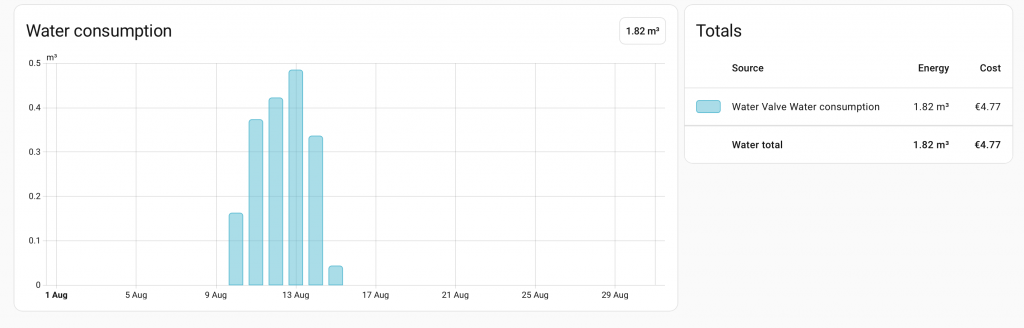
The water consumption entity is provided in the correct format to be added directly to the Home Assistant Energy dashboard (I’ve seen other devices that expose the entity but require some tuning before it works properly). This is probably the most interesting part — it lets you truly track your water consumption and costs right within Home Assistant.
Living with it: Daily use and accuracy
Is the Ultrasonic Flow Reading Trustworthy?
Now, finally, to the important part — using the device daily, is the ultrasonic measurement accurate enough? Flow measurement, and by extension consumption tracking, relies entirely on ultrasonic sensing. It’s not quite as accurate as standard mechanical measurement, but on the plus side it’s much more durable — no moving parts means no broken parts. In my testing, and according to a Shelly representative, the tolerance at low flow rates is fairly large, meaning this device can’t be reliably used to detect small leaks in the piping. I’ve also noticed random 0.2 L/min readings popping up now and then even when there’s no consumption whatsoever. My guess is that 0.2 L/min is simply the smallest amount Shelly will report, possibly caused by sensor noise itself.
Measuring larger flows — like showering or flushing the toilet — gives reliable results. I measured a 10-liter draw by filling a bucket from the faucet, and it seemed accurate enough. I’ve also compared my water company’s meter readings against Shelly’s, and the Shelly is only off by about 5%. So overall, it can be used to get reasonably close readings for total consumption.
On long-term consistency: since a single bucket test only tells you so much, I’ve started keeping a running comparison table between the Shelly’s flow-based total and my official water company meter reading, updated every day or two.
In the table below, I’ve tracked a running comparison over the past few days between the Shelly and the official water company meter.
| Date & time | Water Meter Value | Shelly Value | Water Meter Delta | Shelly Delta | Difference in total | Percentage in total |
|---|---|---|---|---|---|---|
| 12.8. 9:25 | 1987.4828 m3 | 0.663 m3 | Base value | Base value | ||
| 14.8. 12:15 | 1988.3435 m3 | 1.561 m3 | 0.861 m3 | 0.898 m3 | + 37 L | 4.3 % |
| 15.8. 10:40 | 1988.5808 m3 | 1.826 m3 | 1.098 m3 | 1.163 m3 | + 65 L | 5.9 % |
| 17.8. 9:35 | 1989.5863 m3 | 2.755 m3 | 2.1032 m3 | 2.092 m3 | + 11 L | 0.5% |
| 19.8. 15:50 | 1990.4902 m3 | 3.687 m3 | 3.0074 m3 | 3.024 m3 | + 17 L | 0.6 % |
The picture is still forming, and it’s already more mixed than I expected. On the first two comparisons, Shelly consistently read higher than the official meter — 4.3%, then 5.9%. But the latest reading flips that: Shelly came in lower than the water meter this time, by a much smaller 0.53%. Rather than a steady one-directional drift, this looks more like normal measurement variance so far — which, if it holds, would actually be reassuring, since it suggests the earlier gap isn’t a fixed systematic bias. I’ll keep this table updated and revisit this section once there’s enough data to say something more definitive.
The Valve: Where This Device Actually Earns Its Keep
Perhaps the most genuinely useful feature is the water valve. With it, you can shut off the water supply to the whole house automatically in certain situations. Think about leaving for work, or even going on vacation — the smart home system can detect that you’re away and turn off the valve, then turn it back on once you return. Naturally, this requires a proper smart home hub, like Home Assistant.
Another great use case is shutting off the valve automatically when an external leak sensor triggers. This works well within the Shelly ecosystem itself too — pair it with a Shelly Flood Gen 4, for instance, and you’ve got a complete chain with no external hub required.
Pressure and Temperature: The Quiet Extras
The remaining features — pressure and temperature — aren’t necessarily useful day to day, but they’re nice to have. In our home, I’ve noticed occasional pressure drops while showering. That kind of thing might make you wonder whether there’s a leak somewhere, or an issue on the water company’s end — but now there’s no need to worry, since pressure can be checked instantly through your smart home system — or even better, a smart home automation could inform you about low pressure straight away. 🙂
Verdict: Worth the plumbing hassle?
The Shelly smart water valve isn’t perfect — it measures consumption at a “good enough” level, but the electric valve is genuinely useful. That said, it isn’t a cheap device, and bringing in a plumber can easily double the total cost, depending on whether pipe modifications are needed. Still, combined with a leak sensor, the valve can prevent serious leak damage and save your home from costly repairs — which makes it a reasonable price to pay.
| Pros | Cons |
|---|---|
| Valve automation (auto shutoff/leak response) | Can’t reliably detect small leaks |
| Home Assistant Energy dashboard integration | Requires constant power |
| No moving parts — durable, low maintenance | “Pending connection” issue still unresolved |
| Pressure and temperature readings as a bonus | Not cheap, especially with plumbing work |
This device is really built for people who already have a smart home hub like Home Assistant running the show. If you’re after a simple plug-and-play water meter with no interest in automations, the extra cost and plumbing hassle probably isn’t worth it — you’d get more value from a basic mechanical meter with a pulse output. But if you want your water usage, pressure, and valve control tied into the rest of your smart home, there’s not much competition right now: most Wi-Fi-connected flow sensors on the market either skip the valve entirely or don’t integrate as cleanly with third-party systems.
There currently aren’t many smart water meters on the market that integrate well with third-party smart home systems like Home Assistant, so Shelly is a solid choice — as long as you have enough space in your main water pipe area to fit it.
Bottom line: recommended if you’re already deep into Home Assistant and want water monitoring and shutoff automation without stitching together separate devices. Skip it if you just want a basic water meter.
Smart Home Score: 3.5/5
Ps. Sorry for lack of photos in this article – I truly forgot to take some picture before installation
